 Proj4D
Upload your work programme
Import activities from Excel, CSV, MS Project XML or a PDF. Dates and durations set the plan every report is measured against.
Proj4D turns your work programme and daily site reports into live progress, attendance and materials tracking, with professional PDF reports your clients can trust.

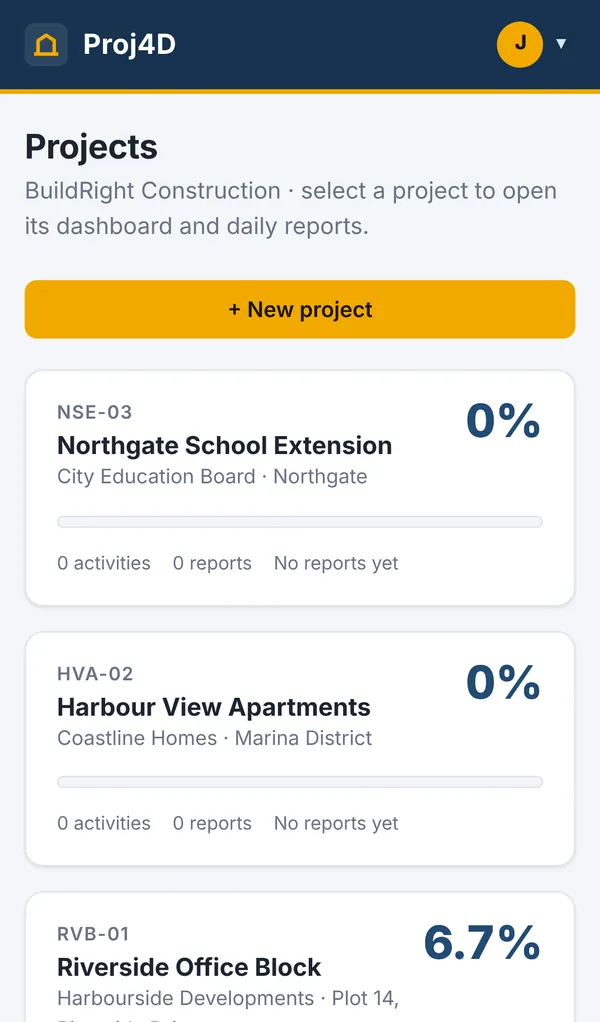
From the programme to the last bag of cement, Proj4D keeps the office and the site working from the same up-to-date picture.
Import activities from Excel, CSV, MS Project XML or a PDF. Dates and durations set the plan every report is measured against.
Supervisors pick activities, set progress, add weather, labour, issues, visitors and site photos from their phone, even with gloves on.
Overall progress updates with every report, weighted by duration, with an actual-vs-planned curve and early warning when work slips.
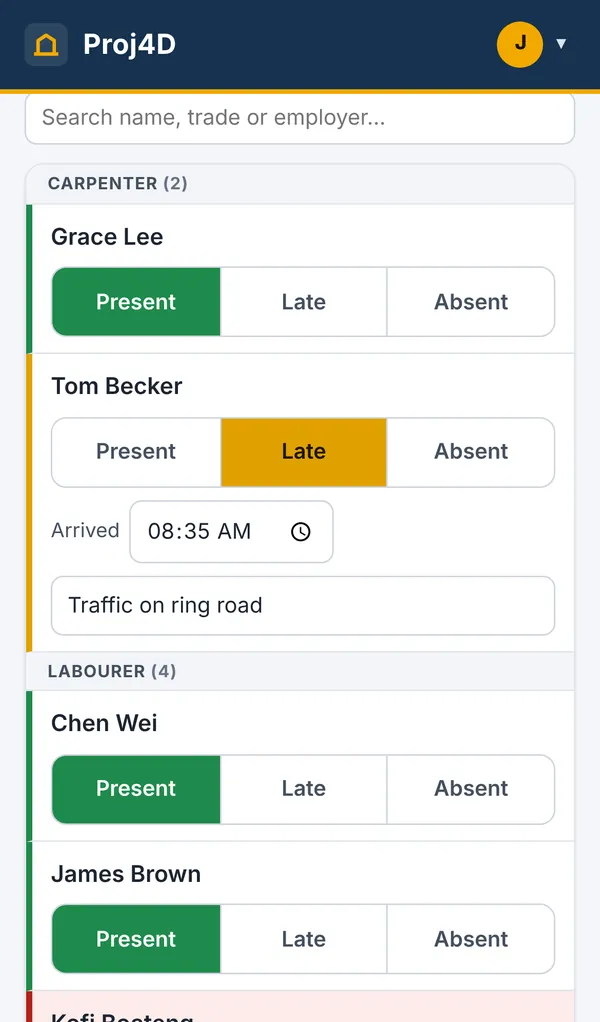
A morning register for the whole crew: present, late or absent with reasons, headcount by trade and a printable monthly sheet.
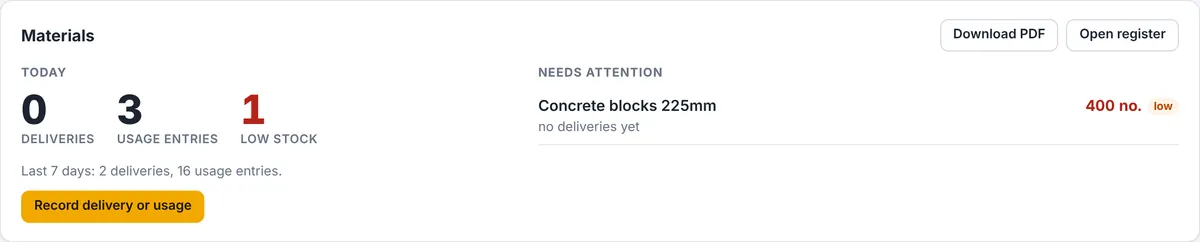
Deliveries, usage and wastage with live stock on hand, low-stock warnings and usage by activity for costing.
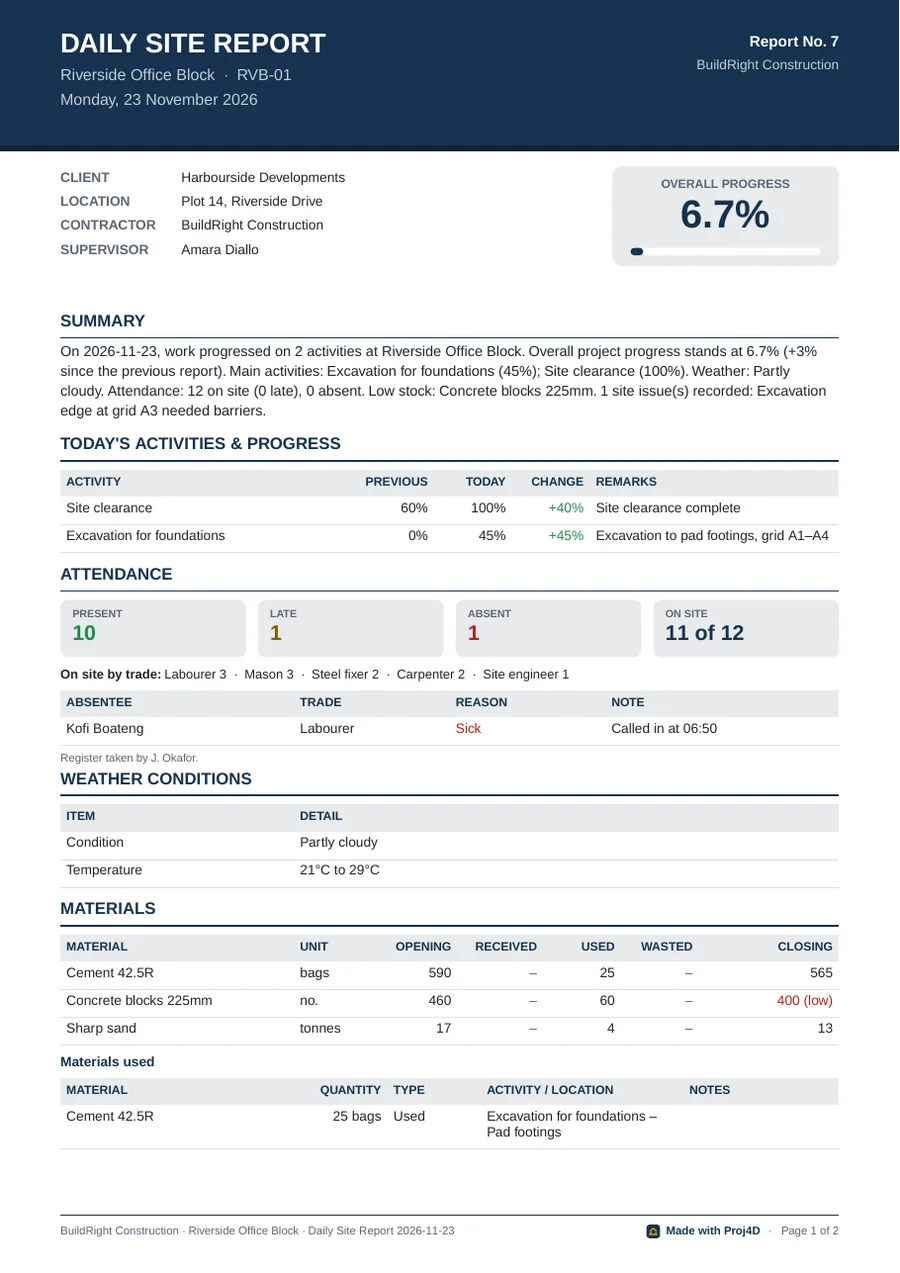
Daily reports, attendance and materials registers as clean PDFs in your company colours and logo, with photos sized for printing.
Push notifications to take the register, file the report, and know at once about high-severity issues, low stock or slippage.
Company accounts with admins and members. Every company sees only its own projects, and everyone works from the same live data.
Turn a supervisor’s notes into a filled-in report, get a written summary for each day, and spot risks across recent reports.
Activities come straight from your programme, so reporting progress is a few taps. Anything new can be typed in and is added to the project.
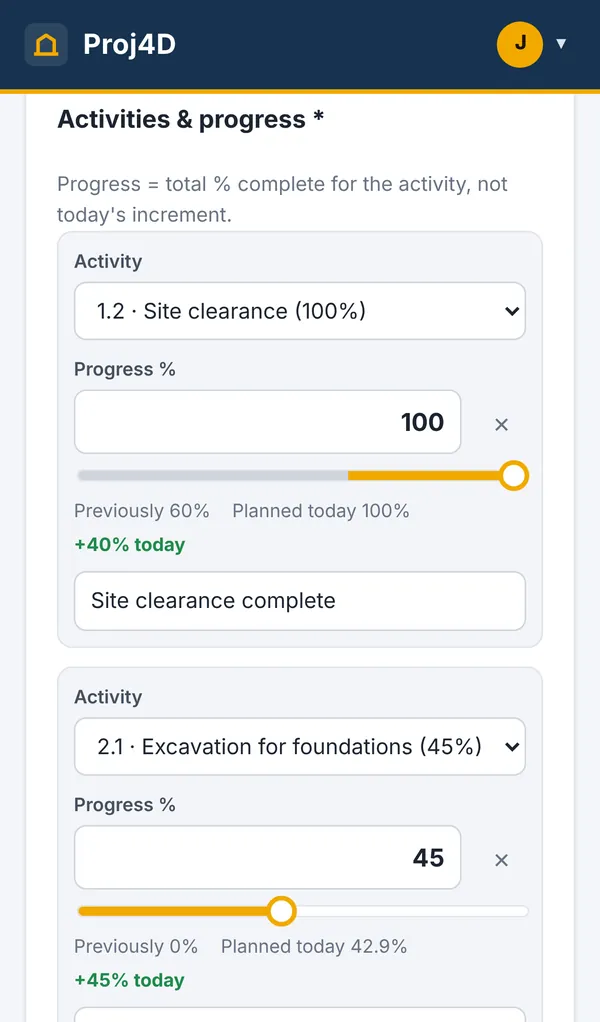
The morning register takes a minute: mark the exceptions, the rest are present. Deliveries and usage keep stock levels honest, with warnings before you run out.
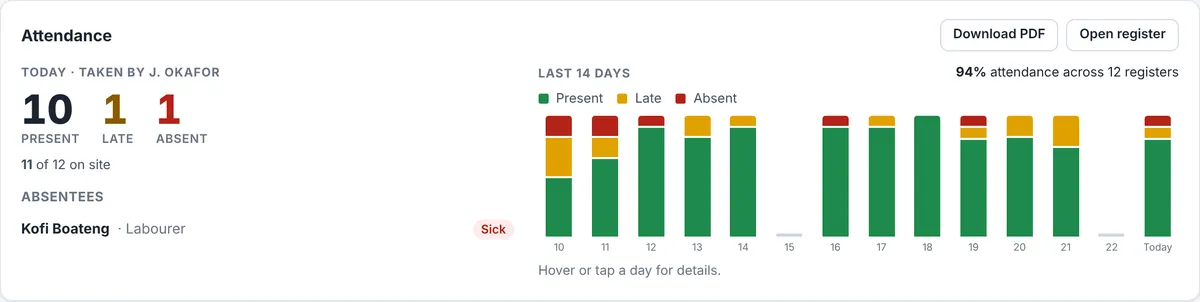
The dashboard brings the programme, reports and registers together: overall progress against plan, every task’s status, the attendance trend and materials that need attention.
Every daily report, attendance register and materials register downloads as a clean, printable PDF with your logo, ready to send to clients and keep for your records.
No long rollout. Most teams file their first report on day one.
Create the project, upload the programme and add your crew and materials. It takes about ten minutes.
Each morning the supervisor takes the register. Each evening they file the daily report from their phone.
Progress, attendance and stock update instantly. Download PDFs for clients and get alerts when something needs attention.
No app store needed. Install Proj4D on your phone or computer and open it from its own icon, with reminders and alerts as notifications.
You can create a company account and start using Proj4D straight away. For pricing for your team, book a demo or send us a message and we’ll find the right plan.
No. Proj4D runs in any modern browser on phones, tablets and computers. You can also install it as an app on Android, iPhone and desktop so it opens from its own icon.
Excel (.xlsx), CSV and MS Project XML exports, including from Primavera P6 via Excel. PDF programmes and unusual layouts can be read with AI.
Yes. Everything is designed for phones first: large buttons, photo upload from the camera or gallery, drafts saved until you submit, and reminders when something is due.
Each company’s projects, reports, photos and registers are visible only to its own users. Passwords are encrypted and all traffic uses HTTPS.
Yes. Add your logo and brand colour once and every PDF report and register uses them.
Proj4D needs a connection to save reports. If the signal drops, it tells you, and an unfinished daily report is kept on the phone until you submit it.
Book a short demo and we’ll set it up with your programme, answer your questions and talk about pricing for your team.